Assessments and marking
Section outline
-
-
Marking
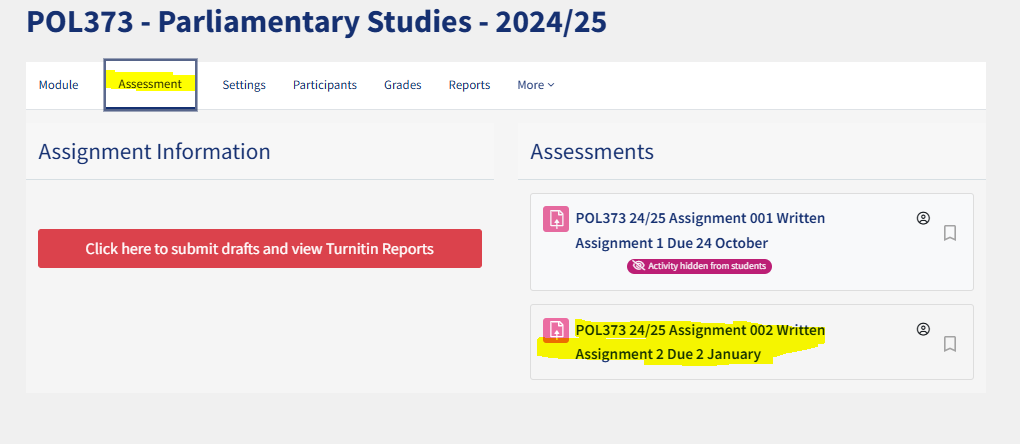
To find your student's assignments you must go to the relevant assessment on your module page.
- Search for your module using the "dashboard" icon on the left side of the screen (or click on it if you have already starred it)
- Once on your module, click on the tab labelled "assessments" and then click on the assessment you need to mark.
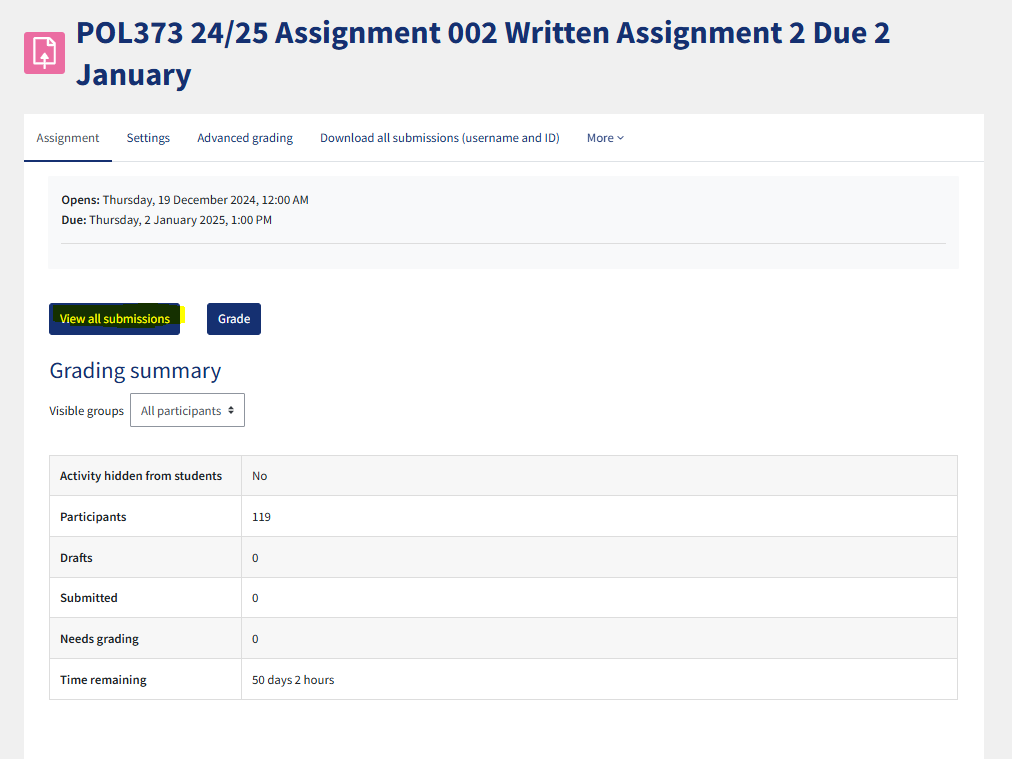
- Click "view all submissions"
For details on the marking and moderation process, assessment offenses and penalties, and releasing marks, please view the assessment topics on this page:
https://qmplus.qmul.ac.uk/course/view.php?id=1429
-
